











































- Key Takeaways
- Parking Apps You Need
- How Parking Works in Miami: From A to Z
- Miami Beach: Zones, Garages and Rates
- Brickell: Where to Park Downtown
- What a Day of Parking Actually Costs
- Parking Tickets and Towing: What Happens with a Rental
- Parking a Large or Low Car
- Parking with a Rental Car in Miami: Practical Setup
- Parking Checklist
- FAQ
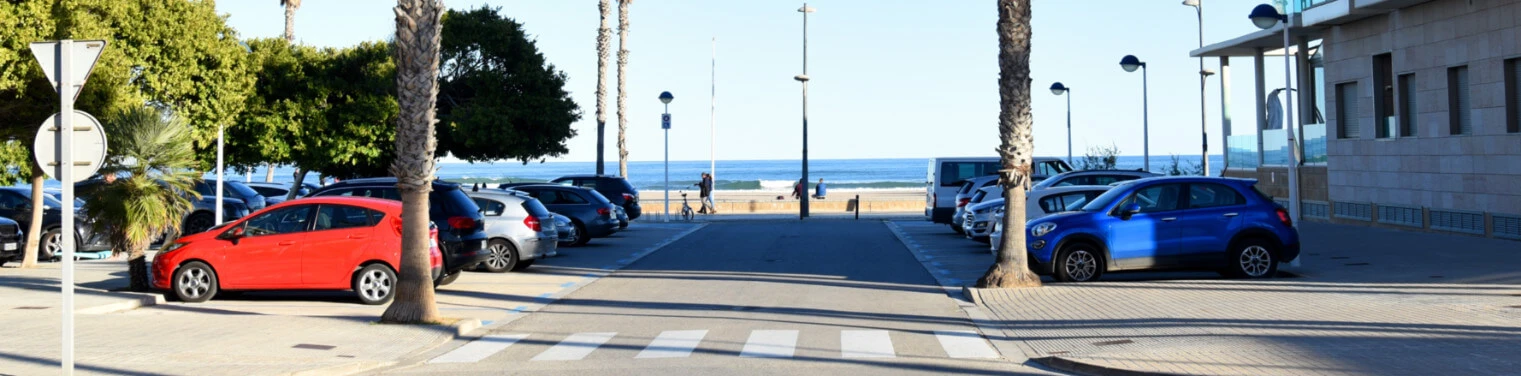
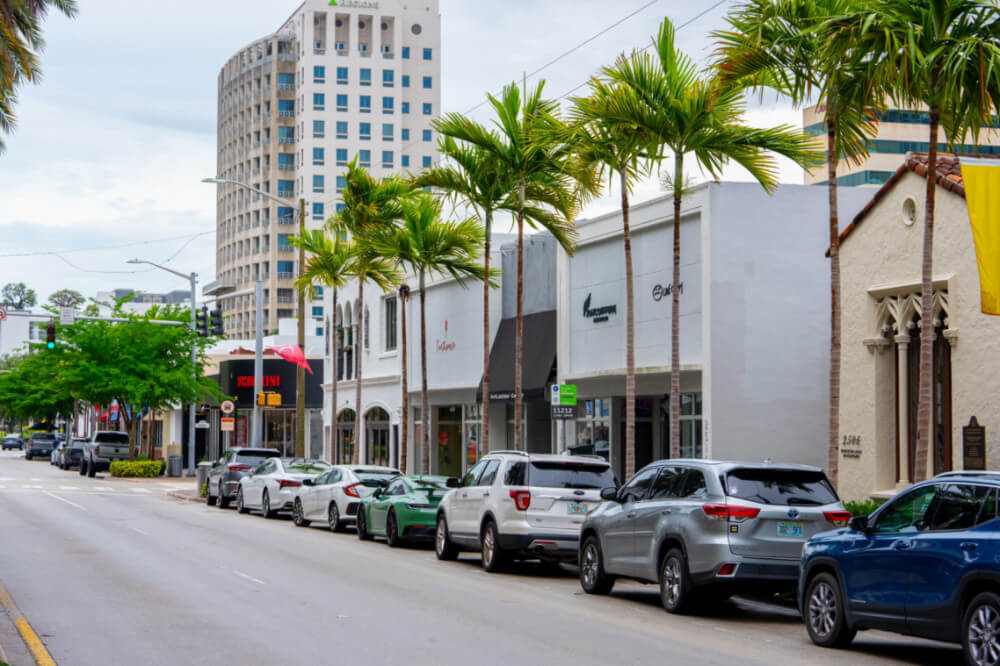
Parking in Miami Beach and Brickell is usually paid by zone, with rates and restrictions shown on local signs.
Key Takeaways
- Parking without a PayByPhone / ParkMobile / SpotHero app is inconvenient in the city of Miami.
- Miami Beach municipal parking garages are cheaper than street parking and valet service.
- Areas with resident parking permits are the most common reason for towing.
- In Brickell, the main option is parking garages in shopping centers and office towers.
- Street parking is time-limited.
- Unpaid parking tickets may be charged to the card on file with an administrative fee, including after the rental ends.



Parking Apps You Need
When you arrive in Miami, you will probably need parking lots, especially in public locations. Download both of these apps: ParkMobile and PayByPhone. Make sure you have access to your account.
- For Miami Beach public parking (including South Beach), ParkMobile and PayByPhone are officially accepted. ParkMobile and PayByPhone are used for many public parking locations in Miami Beach. Check the signs at your parking location for accepted payment methods.
- In the City of Miami (Downtown, Brickell, Wynwood), the Miami Parking Authority accepts both PayByPhone and ParkMobile; both use the zone number on the sign.
How Parking Works in Miami: From A to Z
Parking in Miami is paid by zone: find the zone number on the sign, pay by app, and keep the receipt.
- Check the signs
- Identify the parking zone or location number
- Pay using an authorized payment method
In areas managed by the Miami Parking Authority, on-street parking payments can be made by ParkMobile or PayByPhone. Both apps use the same zone numbers displayed on parking signs. They allow you to start and extend a parking session remotely.
In Miami Beach, there is a pay-by-license-plate system. This system supports both ParkMobile and PayByPhone (for mobile parking payments).
- ParkMobile allows you to change the registered tag number when you are driving a different car. Convenient and important for those who plan to drive a rental car
- PayByPhone lets you receive expiration reminders and extend your parking time remotely.
Before starting a parking session, check that the app shows your vehicle license plate tag number and that you selected the correct zone or location. Payment for the wrong vehicle will not resolve any problems, even if you paid. To avoid trouble, take a photo of the rental car’s license plate when picking it up and keep it on your phone as a quick reference.
Always look at the parking sign when you leave your vehicle. The parking signs tell you what the parking rules are in that area. Never depend on just using the app’s GPS. According to the Miami Parking Authority, GPS assists with identifying zones, but the actual zone number displayed on the sign is the one to refer back to to confirm/complete your payment.
You may also take advantage of some of the app’s features to continue your parking session from afar without having to walk all the way back to your vehicle. Check the individual garages and lots or parking facility websites for their own parking rate information and policies. Although many private garages provide similar services via the same apps, they have different regulations and rates than those provided by the Miami Parking Authority or the app provider.
If you want to find parking before arriving, the Miami Parking Authority also provides online parking information and links to parking options. For those who prefer to arrange parking in advance, MPA lists SpotHero as an option to reserve parking ahead of time.
Miami Beach: Zones, Garages and Rates
| Option | Where | Rate | Max | Note |
|---|---|---|---|---|
| On-street meters | South Beach and Entertainment District | $4/hour | Time limit on the sign | Entertainment District: 24/7; other South Beach zones: 9 AM–3 AM |
| On-street meters | East Middle Beach | $3/hour | Time limit on the sign | 9 AM–3 AM |
| On-street meters | West Middle Beach and North Beach | $1/hour | Time limit on the sign | West Middle: 8 AM–6 PM; North Beach: 8 AM–11 PM |
| Off-street municipal lots | South Beach and East Middle Beach | $2/hour | Varies by lot | Check the posted zone and time limit |
| Municipal garages (G1–G11) | Examples: G2 — 12th St; G5 — 17th St; G7 — City Hall; G8 — 5th & Alton; G9 — Pennsylvania Ave; G10 — Sunset Harbour; G11 — Collins Park | $2/hour | $20/day | $15 night/event flat rate at most South Beach garages; hours vary |
| Municipal garage G6 | 42nd St | $1/hour | $8/day | Separate rate from South Beach garages |
| Hotel garages and valet | Individual hotels | About $45–$75/day | Property-specific | Taxes and tips may be additional; confirm with the hotel |
Registered residents may qualify for $1/hour parking through the city’s resident program. Check eligibility and the rate shown for the selected location. The garage at 1111 Lincoln Road is privately operated.
The “Residential Parking Zone” can easily be identified by street signs labeled as “Residential Parking Only” and often including a designated zone number along with operating hours. The parking spaces in “Residential Parking Zones” are designated for vehicles displaying valid “residential permits.”

Parking in a restricted zone without the required permit can result in a ticket and towing. For a non-resident Class A tow, the listed maximum charges include $274 for towing, a $150 administrative fee, and $45 for outside storage after the first six hours: about $469 before other applicable charges and taxes. Designated lots and garages save time searching for a street space in high-traffic areas.
Brickell: Where to Park Downtown
On-street spaces in Brickell are limited and metered by the MPA; use the zone on the sign. Most visitors use garages. The following rates are as of October 2026; check the posted rate on site.
- Brickell City Centre Garage (entrance at 788 Brickell Plaza): $6 for 1 hour, $12 for 2 hours, and $18 for 3 hours, with a daily maximum of $48.
- Mary Brickell Village Garage: Rates are $6 for 1 hour, $15 for 2 hours, and $18 for 3 hours, with a daily maximum of $40. It’s a convenient option if you plan to visit restaurants, bars, and enjoy your nightlife in Southern Brickell. Entrance at 69 SW 10th St.
- 800 Brickell Garage. Located at 836 Brickell Plaza. An office garage. It offers an attractive evening and weekend rate. The daytime rate can reach $42, while the special rate is $20 when entering after 4 PM on weekdays or at any time on weekends.
- Restaurant Valet is a good option for evening dining, as it can cost approximately $30–$40 each night for parking, plus $3-$5 in tips if someone returns your vehicle.
Allowing extra travel time will be advisable when traveling to or from Brickell on a weekday. Rush-hour traffic can make short trips much longer.
What a Day of Parking Actually Costs
- Scenario 1. Full Day on the Beach in Miami: For a full day (about 7 hours), a city-owned parking lot is approximately $14. Street Parking will be approximately $28. Valet Parking at a Hotel or Restaurant could be anywhere from $45 to $75. Additionally, some forms of street parking are subject to time restrictions of 2 to 3 hours per stay. Therefore, for convenience as well as cost, it would make sense to use the city-owned lot.
- Scenario 2. Evening Out in Brickell: Imagine you are going out to dinner in Brickell. A garage with an after-4-PM flat rate can cost about $20. Three hours at Brickell City Centre costs about $18. Valet parking is approximately $30–$40 plus a tip.
These figures are approximate and may differ from the actual figures.
Parking Tickets and Towing: What Happens with a Rental
If you rented a car and received a parking ticket, it will be linked to the car’s license plate. It is quite likely that it will be processed after you return the car to the rental agency.
Unpaid tickets may be charged to the card on file together with an administrative fee. Check the rental agreement for the applicable terms.
For example, Octane Rent always states that the renter is solely responsible for parking violations and any associated costs. Therefore, it is strongly recommended that you handle the ticket yourself before the rental company processes it. Processing times may vary, so even if you’ve already returned the car, that doesn’t mean the matter is automatically closed. Therefore, if you know you’ve received a ticket, it’s best to check the payment deadline and pay it yourself as soon as possible.
The specific amount of a parking ticket in Miami Beach depends on the violation. Keep in mind that if you park your car in a residents-only zone, you may not only receive a ticket but also have your car towed. If your car has already been towed, contact Miami Beach Parking Enforcement at 305-604-4785 or 305-604-CITY. You’ll be given information on where your car was towed. You may need a valid ID and your vehicle registration documents. Therefore, it is recommended that you keep your rental agreement and, if necessary, contact the rental company in case the parking ticket requires documents specifically from the vehicle owner. Keep in mind that towing can result in high costs. For a non-resident Class A tow, listed maximum fees include $274 for towing, $150 administration, and $45 outside storage after the first six hours—about $469 before other applicable charges and taxes.
You can contest the ticket through the city’s appeal system if you believe it was issued unfairly. You will need supporting documents or photographs. Most importantly: never ignore a parking ticket.
Parking a Large or Low Car
Consider the size of your vehicle due to height limitations when entering the garage. As such, the Miami Parking Authority specifically cautions against exceeding those limits.
If your vehicle exceeds the maximum allowable height limit, then you should never attempt to enter to prevent damage to either your vehicle or the parking structure.
You will need to be cautious in navigating the entrance/exit ramp for low-profile vehicles to avoid damaging the underside of your vehicle.
In any case, it’s recommended to call the specific garage in advance to confirm its height clearance or check a map of Miami Beach. You can find all the latest information on official websites, such as the City of Miami Beach or the Miami Parking Authority.
If you have an expensive or low-clearance car, valet may be a more convenient option. It will help you avoid having to park in a tight space on your own. Choose an official municipal garage or a verified valet location if you plan to leave your car overnight. We recommend this option over street parking.
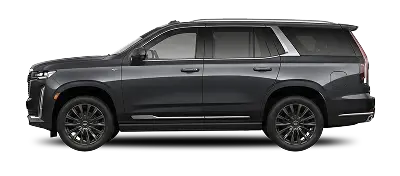
Before you rent a sports car in Miami or rent an SUV in Miami, check the vehicle’s dimensions and ground clearance against the garages you plan to use.
Parking with a Rental Car in Miami: Practical Setup

Parking in Miami is paid by zone: find the zone number on the sign, pay by app, and keep the receipt. Confirm hotel valet rates before handing over the keys. If you are landing in the city, you can rent a car at Miami airport and arrange pickup for your arrival.
Valet parking at a hotel: $45 -$75 per day + taxes & tip. Municipal parking garages that are located near hotels: $20 for 24 hours.
You’ll likely be able to save about $175–$385 weekly by choosing a public parking garage instead of having your car parked at a hotel.
If you choose monthly car rental in Miami, compare monthly parking permits with daily parking charges. Miami Beach offers both residents and visitors a variety of monthly parking options. Non-residents may obtain monthly permits at some city-designated lots, at an estimated price of $100 – $150 per month (price will depend on the selected lot), which are available by accessing the Department of Parking portal before arriving in Miami Beach.
Parking Checklist
If you plan to rent a car in Miami, double-check the following:
- Get both ParkMobile and PayByPhone on your phone by the time you arrive.
- Save an image of your License Plate.
- Check the parking sign for the space or zone where you park.
- Create a timer to remind you of when your parking session will expire.
- Never park in resident-only zones (unless you have the required permit).
- Be sure to save all receipts, photos, and screenshots of payment through ParkMobile/PayByPhone.
- Review your bill about a month after dropping off the vehicle.